Land Ruler
Measure Area
Calculate area instantly on satellite maps.

Map a boundary on iPhone or Android. Open the same project in your browser.
Built on 17 years of experience in mobile mapping and measurement.
Illustrative field view
INFORMATION, GROUNDED
Parcels, tracks, photos and notes. Bring your field information together in one project. Show the layer you need and see every detail in its place.

Photos and notes
Routes and location points
Areas, lines and boundaries
The same ground. Layers that work together.
Split polygons, merge them or add holes. Adjust points and boundaries to fit your work.
Import and export KML, GPX and CSV files. Bring your measurements into your next workflow.
Save your project to a cloud workspace. Invite team members and manage their access roles.
CORE MEASUREMENTS
Calculate area instantly on satellite maps.
Measure paths and routes.
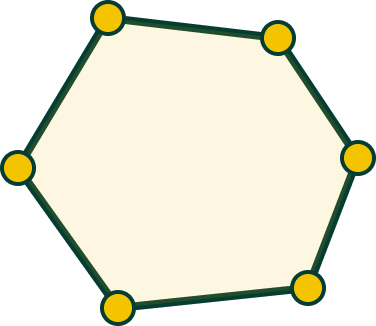
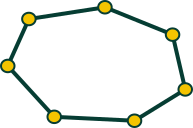
Measure the boundary around an area.
HOW IT WORKS
A clear field workflow with no specialist setup.


BUILT FOR OUTDOOR WORK
Choose a step to see the measurement logic in context.

Outline open areas, read the result and carry a clear reference into the field.
THE APP IN CONTEXT
The interface is the proof. Every measurement stays connected to the place.

Set points, follow the boundary and read the result as you go.
Satellite detail keeps the measurement tied to reality.
A useful measurement is one you can return to later.
KEEP THE RECORD
Keep every result connected to the place, the date and the work ahead.

FIELD ARCHIVE
CLEAR ABOUT THE TOOL
Built for planning, estimation and field reference — not a replacement for certified surveying.
Accuracy depends on map data, GPS conditions and how the measurement is made.
Understand visible outdoor spaces through GPS and satellite imagery.
Fields, properties, gardens, paths and open areas.
Measure in your browser or take Land Ruler into the field on your phone.
BEFORE YOU MEASURE
A few clear answers before you take Land Ruler into the field.
Measure fields, parcels, paths, gardens and other visible outdoor areas with area, distance and perimeter tools.
No. Land Ruler is designed for practical planning, estimation and field reference, not certified land surveying.
No. Draw directly on satellite maps from anywhere, or use GPS measurement while you are on site.
Open Land Ruler in your desktop or mobile browser, or download the iPhone and Android apps. Browser projects are stored in that browser; sign in to access your account and cloud workspace.
READY WHEN THE GROUND IS
Turn a place into a clear, reusable field reference.

01 / START WITH A MEASUREMENT
Choose a tool. Find your place. Set your first point.
Outline a field, property or garden. See its area in square metres, acres or hectares.
Measure an areaFollow a path, a line or the edge of a garden, one point at a time.
Measure a distanceChoose a centre and explore a circle’s area, radius and circumference together.
Measure a radius02 / PUT THE MEASUREMENT TO WORK
How much seed, how much fencing, how much soil? Apply your map measurement to calculators on the same page. Keep your drawing open and your plan moving.
Measure and calculate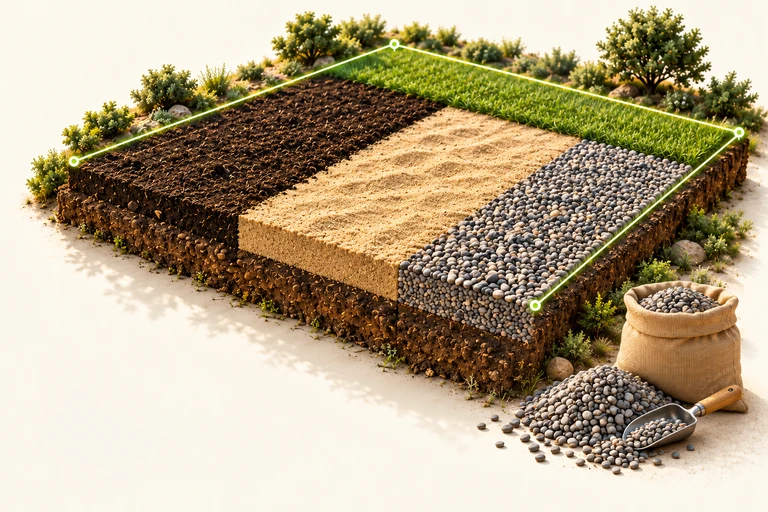
FAMILIAR GROUND. A FRESH PERSPECTIVE.

03 / FROM DESK TO FIELD
Plan on your computer and open the app on your phone in the field. Keep every measurement connected to its place.
Move the map to the field, property or garden you want to measure.
Add points at the corners and see area and perimeter together.
Adjust the outline, apply it to a calculator or save it as a project.


LAND RULER / FAQ
Know what to expect from your measurement.
Yes. Open the map on a measurement page and start your first measurement without creating an account. Sign in to access your account and cloud workspace.
Results depend on map data, how you mark the boundary and, for GPS measurements, location conditions. Land Ruler is for planning and field reference, not certified land surveying.
After measuring on an area, distance or radius page, choose a calculator and select “Use this measurement”. Your map stays open and the measurement fills the relevant input.
Use Land Ruler in a desktop or mobile browser, or in the iPhone and Android apps. Local browser projects stay in that browser; sign in to access your account’s cloud workspace.
Let your next plan start on the map.